Protecting and Securing Facilities During the Holiday Travel Season

The holiday season is a time for celebration, but for organizations, it also brings heightened security challenges. With many employees traveling or working remotely, facilities often operate with reduced staffing, creating opportunities for bad actors to exploit vulnerabilities. Proactive planning is essential to safeguard assets and maintain operational continuity during this period. 

When fewer employees are on-site, response times slow, and empty offices become attractive targets. Property crimes spike during the holidays: U.S. data shows property crimes increase by 10–15% in December compared to other months. Opportunistic theft, vandalism, and unauthorized access are common issues. Cyber threats also surge, as attackers exploit distracted teams and unattended systems. In fact, more than half of ransomware attacks occur during holidays or weekends, making this season particularly risky for organizations that rely on remote connectivity. 

Physical security gaps are one of the most pressing concerns. Reduced staff presence makes it easier for bad actors to tailgate or force entry. FBI data shows property crimes peaked in December 2024 with 66,676 incidents - a 10.8% jump from November. Retail theft alone rises by 14% during holiday months, and similar trends affect office spaces and warehouses. Cybersecurity vulnerabilities also escalate during this time. Holiday-themed phishing and account takeover attacks spike sharply; researchers tracked a 92% increase in malicious configurations targeting retail and a 400% increase against hospitality sectors ahead of the holiday season. Environmental hazards, such as winter storms, can further complicate matters by causing outages or damage if not properly monitored. 

To mitigate these risks, organizations should strengthen access control by updating credentials, deactivating unused badges, and restricting access to non-essential areas. Surveillance and monitoring systems should be tested to ensure cameras and alarms are fully operational, and remote monitoring or third-party security services can provide continuous oversight. Cybersecurity measures are equally critical, such as implementing multi-factor authentication for remote access, patching systems before staff leave, and communicating clear guidelines for secure remote work practices. Emergency preparedness is another key step: distribute updated contact lists and escalation procedures, and conduct quick refresher drills to ensure readiness. Finally, visitor and delivery management should be tightened by using digital systems to track entries and limiting non-essential traffic during low-staff periods. 

The holiday season should be a time of celebration, not concern. By taking proactive steps, strengthening physical security, reinforcing cybersecurity, and preparing for emergencies, organizations can minimize risks and maintain a safe, secure environment. A layered approach ensures that even when staffing is reduced, your facility remains protected.  

Author: Harris Rowe, Marketing and Design Operations Specialist at Safeguards Consulting, Inc.

References 

2024 ransomware holiday risk report. (2025, November 18). Semperis. https://www.semperis.com/resources/2024-ransomware-holiday-risk-report/ 

Crime trends in U.S. cities: Year-end 2024 update - Council on criminal justice. (2025, January 28). My WordPress. https://counciloncj.org/crime-trends-in-u-s-cities-year-end-2024-update/ 

FBI Releases 2024 Reported Crimes in the Nation Statistics. (n.d.). FBI News. https://www.fbi.gov/news/press-releases/fbi-releases-2024-reported-crimes-in-the-nation-statistics 

Karen Dooley. (2025, November 25). As holiday shopping season nears, UF experts warn retail theft is growing more sophisticated. News | University of Florida. https://news.ufl.edu/2025/11/uf-lprc-warns-of-growing-retail-theft/ 

Detecting Fake Account Recovery Emails

Account Recovery Phishing is a type of attack used by scammers to gain unauthorized access to user accounts. Attackers send emails or text messages claiming that you need to reset your password or provide personal information to verify your account. These account recovery messages and websites often appear to come from genuine companies, but if you look closely, they are fake.  

Kasada, a cybersecurity company specializing in account-takeover attacks, observed in its 2025 report, “a 250% increase in account takeover attacks […] resulted in over 6 million compromised accounts, affecting large brands across several industries, including retail, hospitality, travel, entertainment, and food and beverage.” While not all these attacks involved Account Recovery Phishing, this highlights the growing risk of account compromise, including threats that exploit password reset flows. The FBI reported in a recent Security Alert that account takeover fraud has already caused losses exceeding US$262 million in 2025.  

Why Is This Relevant?  

The holiday season creates prime opportunities for cybercriminals to launch phishing attacks. During this time, people’s attention and online activity change significantly. Many spend more time shopping online, logging in to banking apps, delivery services, and social media, making each login a potential target. 

Additionally, holiday activities such as shopping, travel, and family gatherings make people busier and more stressed, increasing the likelihood of overlooking warning signs in emails.  

Common Signs of an Account Recovery Phishing Attempt 

Phishing emails are designed to look like official communications from trusted sources, but there are usually clues that reveal they are fake. These are some of the most common signs of a phishing attempt that targets your password: 

1. Receiving unsolicited password recovery requests by email or text asking you to reset your password without initiating it yourself is the main warning sign. These messages may also claim your account has been compromised or that your password will expire soon. 

2. Account recovery emails that use generic greetings such as “Dear User” or “Dear Customer” instead of your name are suspicious. Legitimate companies typically have your contact details and will address you by your name for more personal communication. 

3. The use of urgent or threatening language can create panic and push you to act quickly without carefully verifying the message. Legitimate companies will not demand urgent action on this type of message. If you feel rushed or pressured, stop and evaluate the situation carefully. 

4. Account recovery emails that include suspicious attachments are a clear sign that something is not right. Legitimate password reset notifications typically do not include attachments, so any email with them should be treated with caution, as it may contain malware. 

5. The sender’s email address does not match the company domain, which is typically an indicator that the message is fake. Password reset messages are only sent from verified company domains. 

6. Misaligned logos, incorrect brand colors, low‑resolution images, or anything that looks unfamiliar are signs of fraudulent emails or websites. 

How to Protect Yourself  

A password reset request is a critical security measure and should not be taken lightly or ignored. If a security-related communication is received, it should be reviewed carefully. The following are tips to verify the authenticity of this type of notification, and additional advice to be better protected. 

1. Verify The Email Domain. 

When receiving a password request notification, pause and review that the sender’s email address is authentic and comes from the expected source. For example, Microsoft will not send emails from a Gmail account. Also, watch for subtle changes in the domain or intentional misspellings. For example, support@google.com is not the same as support@googIe.com where the lowercase “l” is replaced by an uppercase “i”.  Adding hyphens and dots is also common to trick the user.  

2. Look Closely at The Link. 

Cybercriminals often hide malicious links behind buttons or text. Hover over links without clicking to reveal the actual URL and inspect it closely to see where it really leads. Another tactic to hide links is the use of URL shorteners. Genuine companies typically do not use shortened URLs for password reset links, so be cautious. 

Even better is to avoid clicking the link directly and instead go to the website or the service’s application. Request a new password through the official “Forgotten password” feature.  

3. Use a Unique Password. 

Do not reuse passwords across multiple sites and services. Create a unique password for each account. This way, if one service is compromised, your other accounts remain secure. It is also highly recommended to use a password manager to store and manage your passwords. 

4. Use Multi-Factor Authentication. 

Review your accounts and enable Multi-Factor Authentication (MFA). Although attackers can sometimes bypass MFA during Account Recovery Phishing attacks by tricking users into providing their verification code, it still adds an additional layer of protection for your accounts. 

5. Protect Your Sensitive Information. 

Never provide sensitive information such as passwords, verification codes, or your Social Security Number, via email or text message. Reputable companies will not ask you to provide sensitive information over insecure channels. 

What to Do if You Think Your Account Has Been Compromised? 

In case your account has been compromised, the first step is to try to recover it through the official password reset process. If you are unable to regain access, contact customer support and notify them about the incident. This is especially important for financial institutions or e-commerce platforms, where they can freeze any activity, restore access, review transactions, and monitor the account for further abuse. 

Review purchase history, messages, login logs, account changes, and connected services. Document anything suspicious with screenshots and timestamps. Even if you cannot access the compromised account, you may still review email notifications, transaction and login attempt alerts, and messages from the service provider.  

Finally, it is highly recommended to submit a report through the Internet Crime Complaint Center (IC3), especially if the compromised account involves financial transactions or the exposure of sensitive information. 

Although this type of phishing is not new, it continues to be highly effective. Always verify any account recovery requests and practice strong security habits. 

Author: The Safeguards Consulting, Inc. Cybersecurity Team

Safeguarding Yourself from The Surprising Dangers Lurking Behind QR Codes

Malicious QR Codes are Hidden Everywhere  

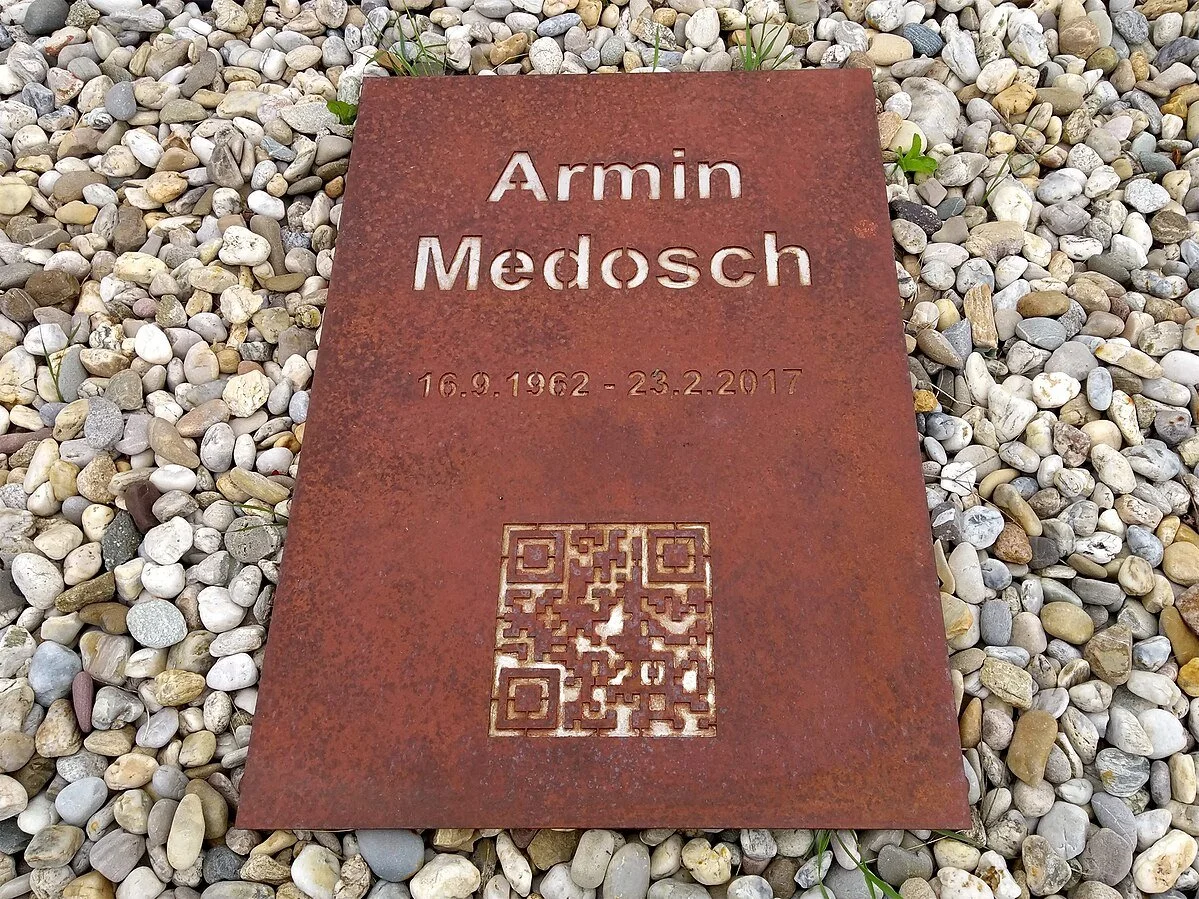
QR codes have become a common part of everyday life. They can be found in restaurants, parking lots, social events, product packaging, and even in unexpected places, like on modern gravestones. It is understandable, after all, that they are easy to use and very practical. We are so used to seeing them everywhere that it is easy to overlook the risks they can carry. According to the Anti-Phishing Working Group (APWG) in its Q1 2025 report, over 1.7 million unique malicious QR codes were detected by cybersecurity researchers, along with “an average of 2.7 million emails with QR codes attached daily”.


How Does a Malicious QR Code Function?  

QR codes work by encoding information into a square pattern that can be read by a scanner or camera. This information can include a URL, text, or contact details. QR codes are fast, reliable, and capable of storing much more data than traditional barcodes. However, because the content is encoded within the pattern, attackers can exploit this to hide malicious links or actions. Some devices and apps show a preview before opening a link, but not all do, and users often do not inspect the preview carefully, making QR codes a useful tool for phishing and other malicious attacks. 

QR codes Can Be Exploited in Various Different Ways 

1. Phishing Campaigns (Quishing) 

Attackers can embed URLs in QR codes that redirect users to phishing sites designed to steal personal information, login credentials, or financial details. Since users often do not see or carefully check the URL before opening it, they may not realize they are being directed to a fraudulent website. This tactic is widely used because of its high effectiveness. 

2. Malware Distribution 

QR codes can also direct users to websites that prompt users to download malicious software onto their smartphones or computers. If users proceed with the installation, the software can infect their devices with malware. Although most devices require user permission to complete the installation, attackers often rely on social engineering tactics to overcome users’ caution. 

3. Fake Payment Requests 

Scammers can create fake QR codes or replace legitimate ones in public places (known as QR code tampering), to redirect payments to their own accounts. This method is commonly used in situations like parking meters, charity donations, or sending them via email or chat, tricking victims into unknowingly sending money to cybercriminals. 

5 Quick and Easy Steps to Take in Order to Safely Scan and Verify QR Codes 

There are 5 steps that one can easily and quickly take to better safeguard themselves and their data against Malicious QR codes.  

1. Inspect The QR Code Source 

Before scanning a QR code, make sure it comes from a trusted source. Be cautious of codes found in public places that look out of place, are poorly printed, or appear to be stickers placed over original codes. Watch out for posters or messages with QR codes that try to grab your attention or offer something that seems too good to be true. 

2. Verify the URL Before Clicking  

Most modern smartphone cameras display a preview of the link or information encoded before opening it, allowing users to review what type of content is behind the QR code. Before clicking any links, always take a moment to verify the URL is legitimate and a trusted website and not an imitation with misspellings or suspicious characters. Be cautious with shortened or unclear links, as attackers may use link obfuscation to hide malicious destinations. If anything looks off, it is safer to type the known URL manually into your browser.  

 In case your device does not display a preview of the QR code, consider installing a camera or scanner app that allows you to view the content before opening it. Always use trusted QR code scanning apps from reputable sources to ensure your security. 

 3. Avoid Entering Sensitive Information 

Never enter sensitive information on websites accessed through QR codes unless you are certain the site is legitimate and secure. Cybercriminals can create fake websites to steal personal identifiable information, login credentials, credit card numbers, or other confidential data. If scanning a QR code opens a form asking for personal details, especially in a public space, consider it a red flag and think twice before entering anything. Always verify that the site uses a secure HTTPS connection and that the domain name is correct and trusted. You can also search for the site online for verification. 

4. Do Not Download Files from QR Codes 

QR codes can take you to websites asking you to download files, especially software or apps. While this might seem convenient, it is a common method used by cybercriminals to install malware. Unless you trust the source, avoid downloading anything it points to. Instead, use official app stores or trusted websites when downloading or installing software. 

 5. Keep Devices Updated and Use Anti-Malware Software 

It is important to make sure that your device and apps stay updated. Those updates often fix security vulnerabilities that cybercriminals could exploit. Additionally, installing anti-malware software adds another layer of security and can help detect and block potential threats before they cause harm. 

Stay Safe and Stay Aware  

Using QR codes to deliver attacks remains a common and growing threat in 2025. This technology has become a part of everyday life, and most people use it without a second thought. That convenience also makes QR codes an easy target for cybercriminals. As technology advances, so do the tactics used to exploit it. That is why staying alert matters. Taking a moment to check a link can help you avoid much bigger problems. 

Author: The Safeguards Consulting, Inc. Cybersecurity Team